

How to Run an IMEI Check on Your Mobile
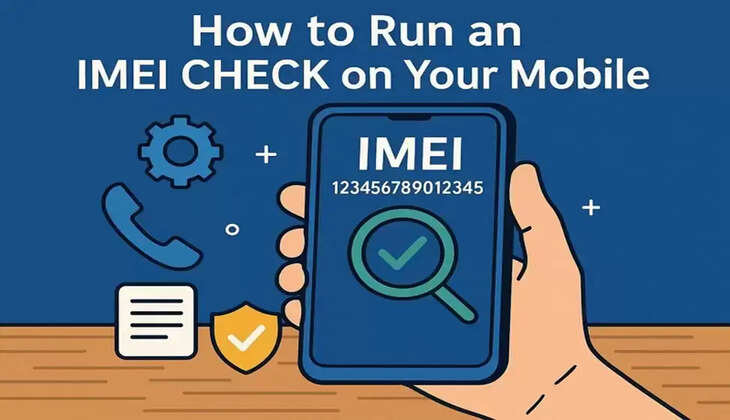
The need to check a phone grows when buying or fixing devices. Many users worry about hidden issues, like blocked networks or stolen status, before paying. An IMEI check helps confirm a phone’s history using clear, trusted records. To address this need, tools like Dr.Fone make checking details faster without complex steps. So, this guide explains how to run an IMEI check on any smartphone.
Part 1. What an IMEI Check Tells You
An IMEI check reveals your phone’s real identity, including model and release year. It confirms key details like storage capacity and manufacturing origin for accuracy. This will assist you in verifying that the gadget is as claimed by the seller before buying. Plus, on the IMEI unlock check, it is indicated whether the phone is bound to a particular carrier network.
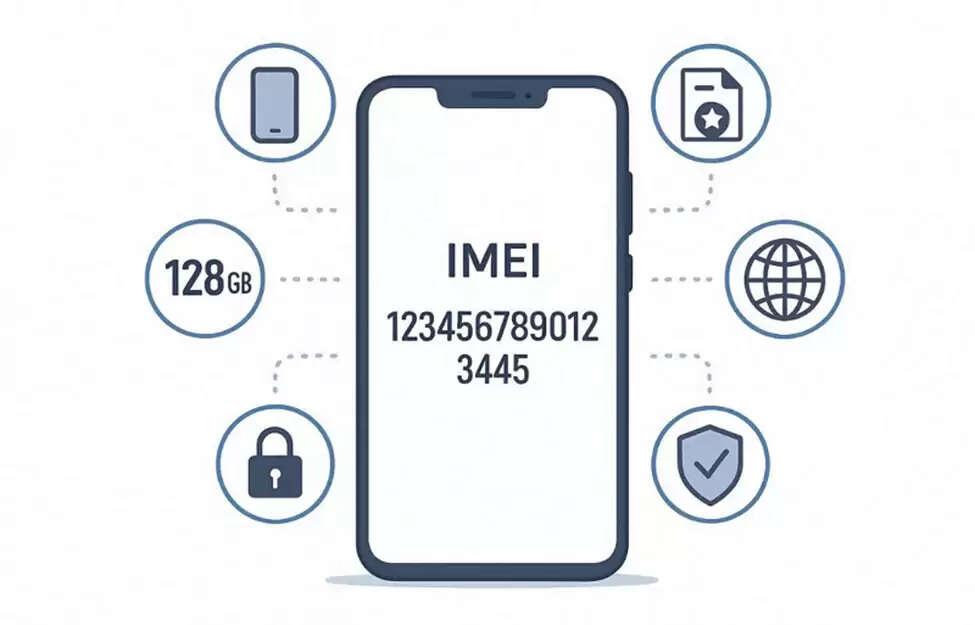
Alongside, it tells whether the device is locked or free to use anywhere worldwide. The check further uncovers blacklist or insurance claim reports affecting device activation. As a result, blacklisted phones may fail calls or data on many carriers' worldwide networks. For branded devices, like a Samsung IMEI check, it even displays warranty validity and activation history.
Part 2. Why Choose Dr.Fone IMEI Check
When accuracy and speed matter most, Dr.Fone IMEI Check is the ideal solution. Developed by Wondershare, this tool offers fast and complete device authentication in seconds. It supports both Android and iOS devices for instant unlock IMEI and verification. Besides, you can check over 20 data points, including blacklist and activation lock status. It also detects carrier lock, warranty details, and previous activation or repair records.
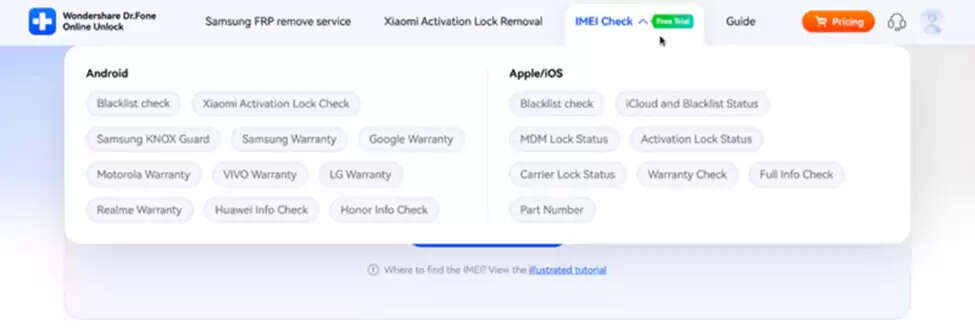
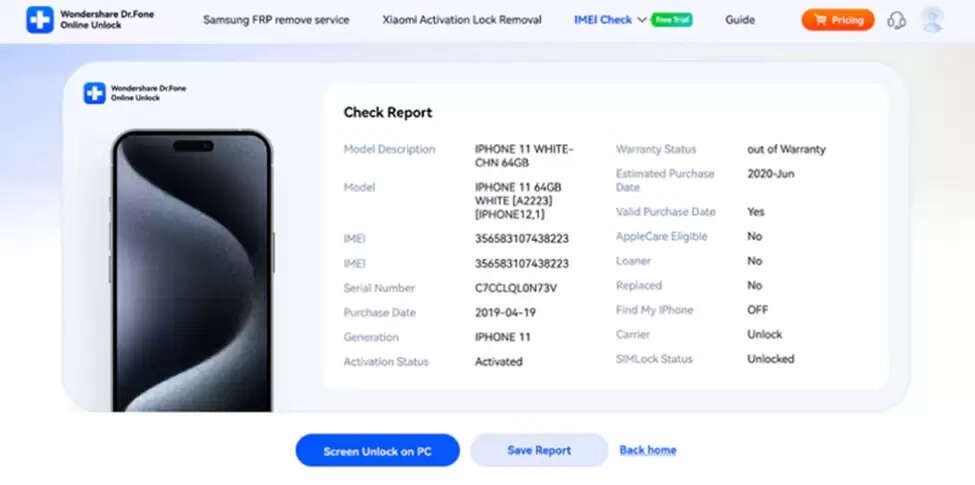
For Samsung users, Dr.Fone Online Unlock reveals KNOX Guard information from manufacturer databases. In addition, Xiaomi phones can be verified for activation lock and authenticity reporting. Users can even view iCloud or MDM lock information for Apple devices. Upon checkup, this online tool provides complete reports covering the model number and original carrier.
Key Features
- High Accuracy: Ensures 100% verified results sourced from global manufacturer databases.
- Region Details: Displays the country and carrier of the initial phone activation or sale.
- Save Report: Allows saving or downloading generated IMEI reports for later review.
Part 3. How to Run a Quick IMEI Check
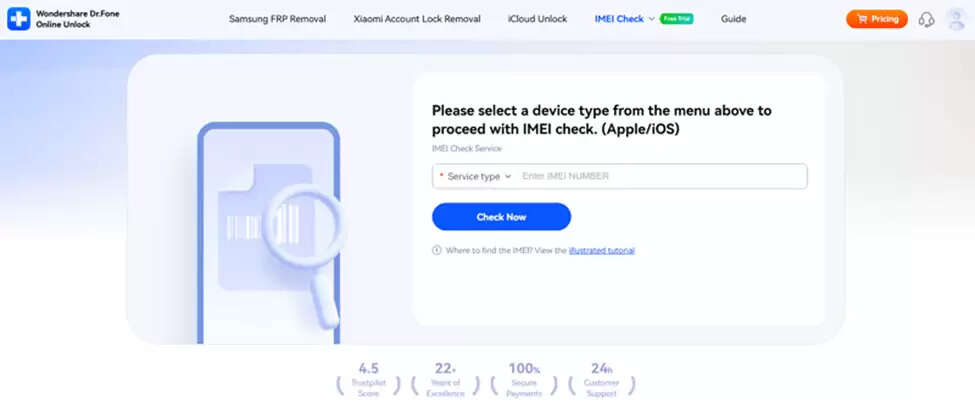
Running an IMEI check is quick and requires only your phone’s unique identification number. So, here’s how you can perform it, including an MDM check within seconds via Dr.Fone Online Unlock:
Step 1. Open the IMEI Check Tool
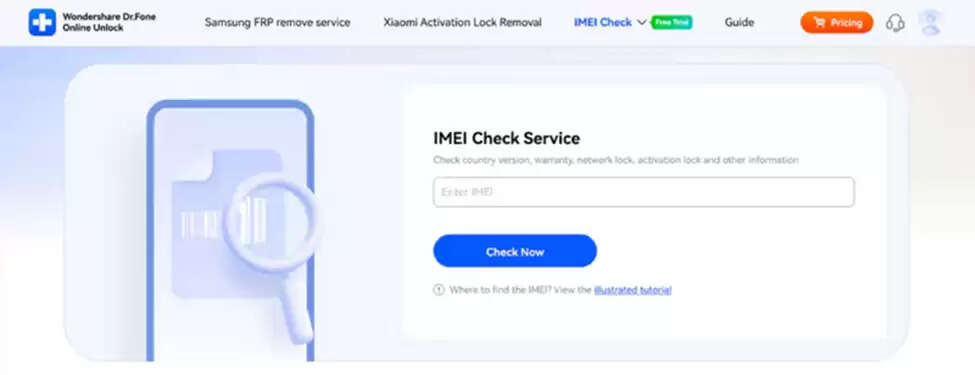
Visit the Dr.Fone IMEI Check page in your browser and choose the type of IMEI check from the “IMEI Check” drop-down menu.
Step 2. Enter Your IMEI Code
Paste or type your device’s IMEI number into the input box and click the “Check Now” button.
Step 3. View and Save the IMEI Report
Once the scan finishes, review the detailed device report and click “Save Report” to download.
Part 4. Real World Scenarios & Red Flags
Real purchases reveal risks that simple checks uncover before money changes hands. Below are practical cases showing how quick verification exposes red flags:
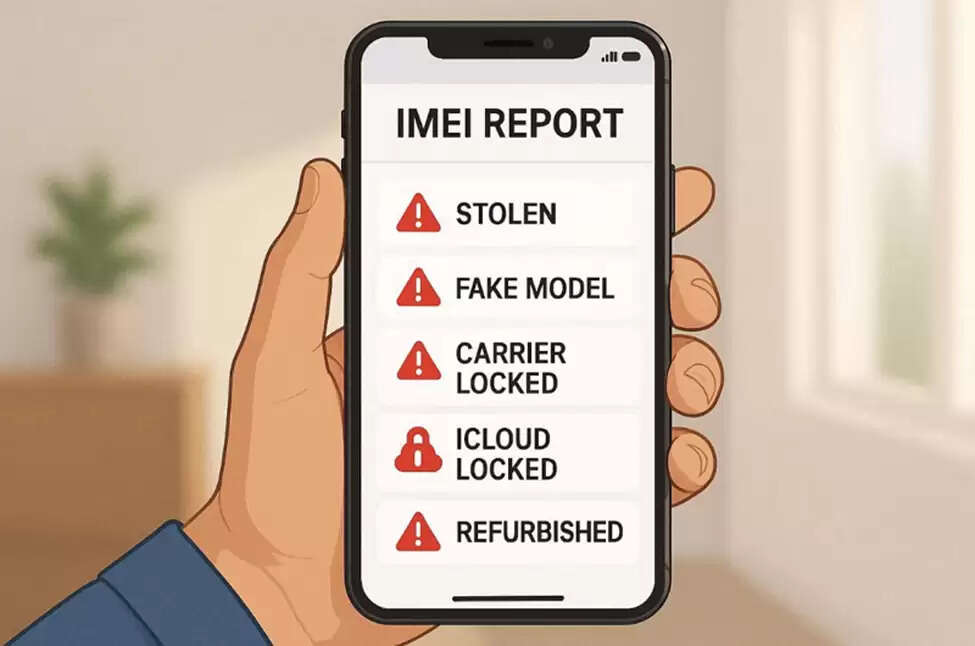
- Stolen Device: IMEI reports reveal if the phone was stolen or blacklisted earlier. This helps users avoid purchasing a device restricted from future network access and use.
- Fake Model: Checking IMEI details ensures the advertised model matches the physical phone. Buyers can confirm specs and authenticity before completing any payment.
- Carrier Lock: A Verizon IMEI check confirms if the device is locked to the Verizon carrier. It prevents users from buying phones that won’t work with other networks.
- iCloud Locked: Performing an iCloud check shows if the Apple device has an activation lock. This helps buyers avoid unusable phones still tied to older Apple IDs.
- Refurbished Sale: There are sellers who sell refurbished units as new without indicating this. IMEI checks show replacement or repair records verifying the actual phone condition.
Part 5. Additional Verification & Next Steps
After completing your IMEI verification, pairing it with carrier confirmation ensures complete accuracy. A phone blacklist check ensures the device isn’t restricted by carriers or security databases. You should check network compatibility and confirm that the phone functions with your SIM. If you meet the seller in person, test calling and internet connectivity before payment. When results appear unclear, reach out to Dr. Fone's support for guidance and clarification.
Conclusion
In summary, IMEI checks help buyers avoid stolen or incompatible phones before purchase. They also reveal warranty and repair history for whole device transparency. So, verifying accounts and carrier details ensures your phone works without future problems. With Dr.Fone IMEI Check, you can get accurate phone details without hassle. Hence, for fast, precise, and easy verification, rely on Dr.Fone IMEI Check every time.