
Know How to Type Malayalam in WhatsApp On Android Phones
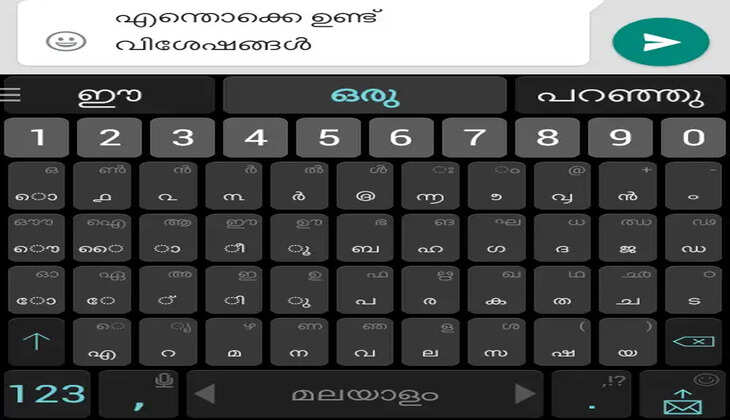
Now, it is incredibly convenient to type in languages such as Malayalam on WhatsApp in 2026. With the advancements made in the technology of smartphones and keyboard applications, you can conveniently use any language while sending messages through WhatsApp. The following steps will show how to type in Malayalam while using an Android phone.
Enabling Malayalam Keyboard on Android Devices

The simplest way to type in Malayalam on your Android device is to enable the Malayalam keyboard within your phone settings. To do this, go to Settings, then click on System, followed by Languages & Input, and finally, click on Virtual Keyboard and Manage Keyboards.
Upon accessing the keyboard settings, you may choose any keyboard application, including the Gboard (Google Keyboard), which is popularly used on Android phones. You can now create a new language and add Malayalam.
Using Gboard to Type in Malayalam
Gboard offers multiple typing options, such as:

Type in Malayalam script (typing directly in the Malayalam alphabet)
Transliterating (typing Malayalam words in the English alphabet and getting them converted)
For instance, typing “namaskaram” would get them automatically converted into Malayalam script. This particular method helps people who have just started learning this language.
Type in Malayalam in WhatsApp

After activating the Malayalam keyboard, launch WhatsApp and click on any conversation. Click on the chat box and type. Change your keyboard language to Malayalam and start typing.
The text in the chat will now be in Malayalam script.
Utilisation of Third-Party Applications
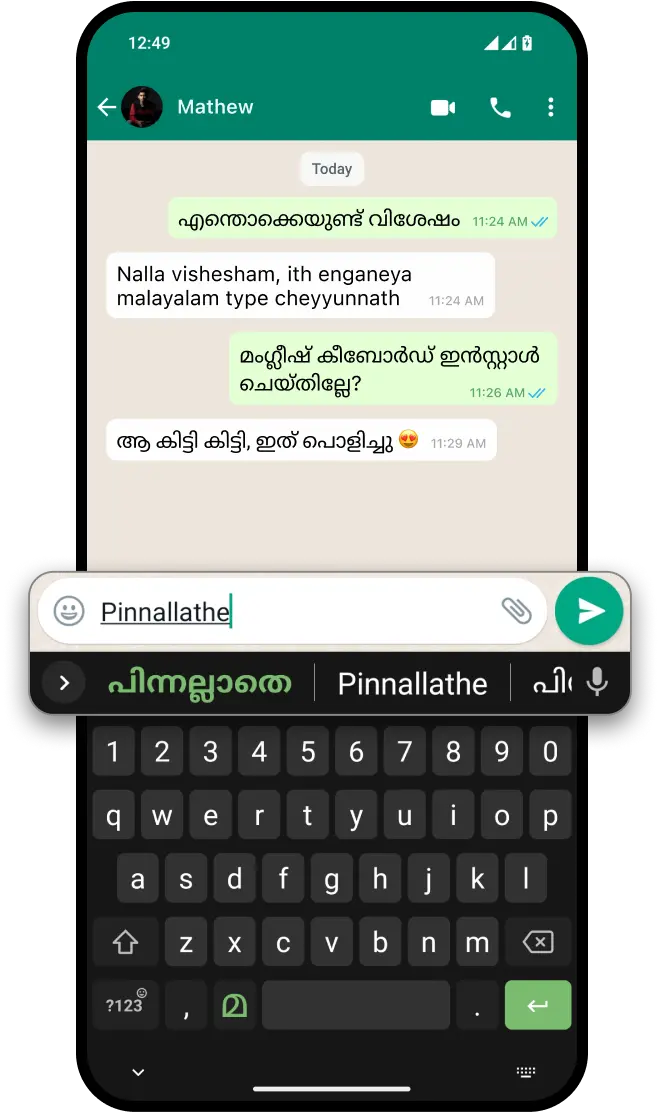
Other than the Google Keyboard application, some other applications that can be used include the Indic Keyboard application, the Manglish Keyboard, and the SwiftKey application.
The use of Manglish typing has gained popularity, where the individual is able to write words in Malayalam using the English alphabet, which proves to be useful when individuals are not fluent in writing the script.
Option for Voice Typing
In 2026, voice typing is extremely precise. The user just needs to touch the microphone symbol in the keyboard and type their message in Malayalam by speaking. The keyboard instantly converts their spoken language into text.
Hints for Better Typing
For the auto-correction feature and suggestions to work, you must first activate them under the settings of your keyboard app. Update your keyboard application regularly to make full use of the features provided.
Conclusion
The process of typing Malayalam in WhatsApp via an Android device will be very simple and easy in 2026. You may type in the Malayalam language in WhatsApp through any of these methods.