
Photo editing has now become a crucial process in producing digital content. It does not matter whether a person designs social media content, prepares product pictures or creates professional presentations; eliminating the background can make photos more appealing and useful.
Adobe Express Background Remover can be considered a good tool for those who wish to edit their images without mastering complex photo editing techniques. With its help, a person can eliminate backgrounds and create a transparent picture in just a few seconds using the software’s automatic technology.
What Is Adobe Express Background Remover?
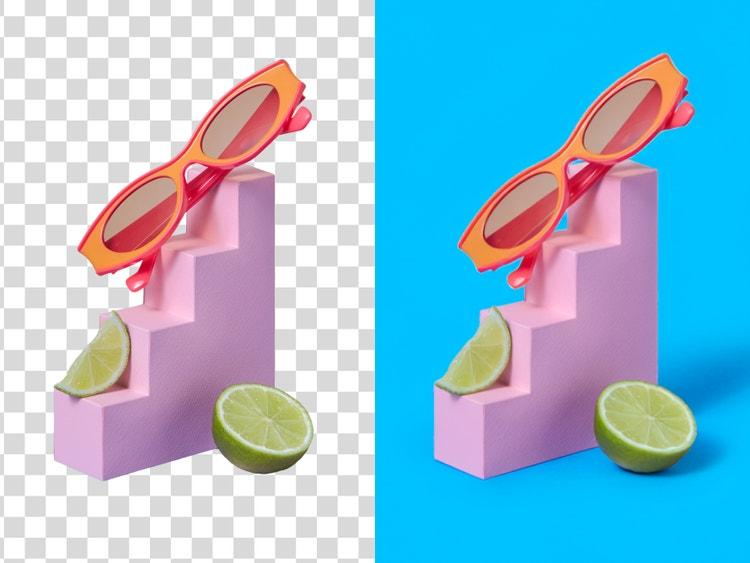
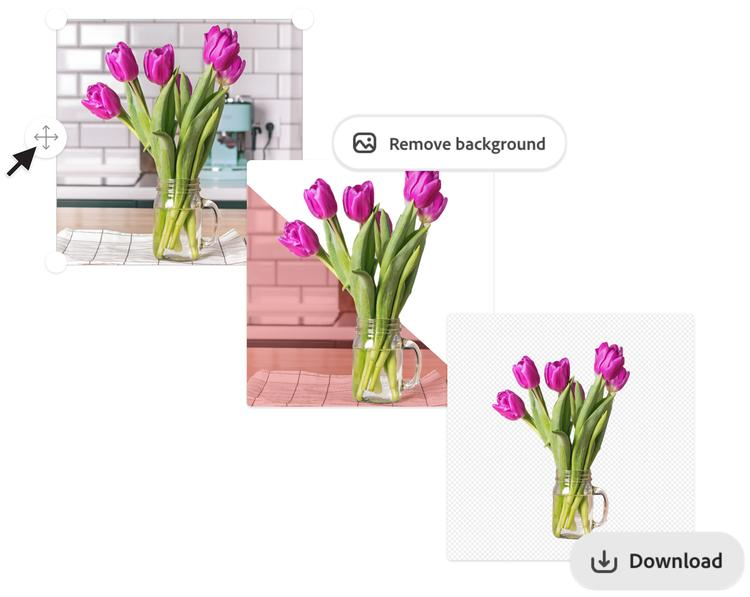
Adobe Express Background Remover is a web-based image editing tool that is capable of recognising the subject of a picture and eliminating its background automatically.
It does not require users to trace the outline of a person or an object in a picture manually but enables them to upload a photograph and have the background eliminated by software.
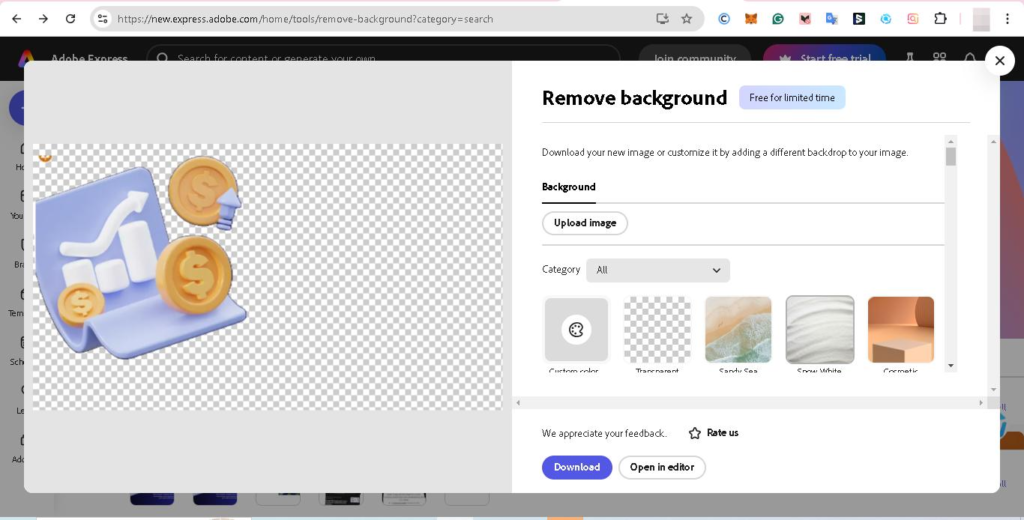
A picture with a transparent background or integrated into other designs can be easily downloaded.
Such a tool is very useful for students, content creators, business owners and professionals working with digital photos.
How Does the Adobe Express Background Remover Work?

In terms of background removal, automated image processing helps differentiate the main subject from its surroundings.
When a photo is uploaded, the tool analyses the visual features of the image and recognises the object/person whose presence should be retained.
Then, the tool separates the subject from its original background and creates an image that could be placed on top of a different design.
The algorithm works best if the subject has clear edges and good contrast against its surroundings.
Sometimes, complicated backgrounds and overlapping objects may impact the results.
How to Remove a Background Using Adobe Express
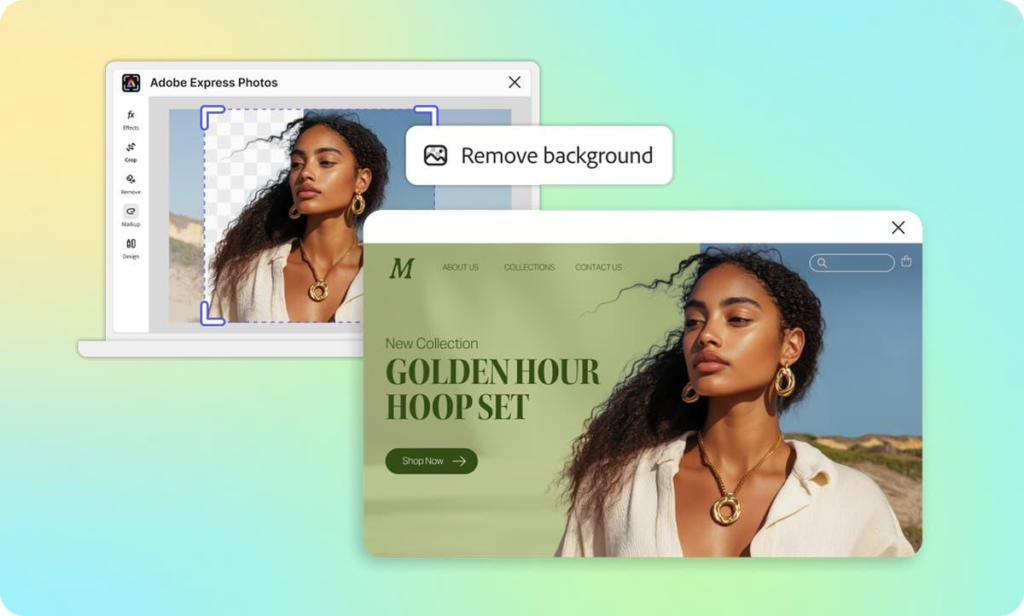
Removing a background in Adobe Express consists of several easy steps.
First, you need to open the background remover tool and upload the photo you want to process. The following file types are supported: JPEG, PNG and WebP.
Once the photo is uploaded, the tool automatically processes the image and removes its background.
After the process is finished, the user gets a preview of the result and can download the image as a transparent PNG.
Alternatively, the user can continue working with Adobe Express and change the layout of the image or add something else to it.
Key Features of Adobe Express Background Remover
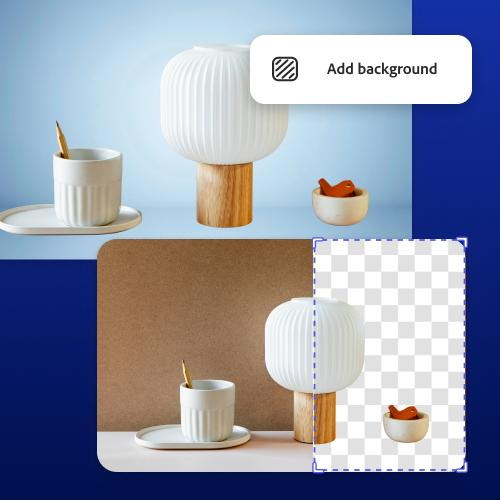
One of the advantages is an automatic feature for removing the background from the picture. It is not necessary to have skills in editing photos for such a task.
The tool also allows downloading pictures in a transparent PNG format in order to place them on another background, but not the original one.
It is also convenient to use a background remover integrated into the Adobe Express design editor and create a design by combining edited photographs with text, graphic elements, templates and so on.
This software works online in a browser and can also be used on supported mobile devices.
Therefore, it can be suitable for performing everyday tasks related to design and image editing.
Is Adobe Express Background Remover Free?
There is a free tool for removing the background from pictures that belongs to Adobe Express.
This function of removing a background from uploaded photos is available to all users for free.
But some additional functions, features and design elements may cost money depending on the subscription plan of Adobe Express.
So, users should check the list of available plans before using premium features.
Benefits for Students and Professionals
Students will also find this feature helpful when creating presentations, project reports and digital portfolios.
Image creators will also be able to create photos for their social media accounts, thumbnails and promotional content without having to edit each one individually.
Small business owners will also benefit from this tool to create clean product photos for their online stores and marketing campaigns.
In addition to this, professionals will be able to use the tool to create profile photos, presentation graphics and promotional images.
These are some of the benefits of using background removal automatically in just seconds.
Limitations of Adobe Express Background Remover
While the tool makes it easier for people to edit photos, its outcomes are not always ideal.
Photos that have very thin hair, transparent objects or complicated backgrounds may result in irregular outlines.
Images that are of low resolution might also cause difficulties for the software in differentiating the object from its background.
It is important to check the processed image thoroughly before using it in professional designs.
Tips for Getting Better Background Removal Results
Choosing a photo with appropriate lighting and a subject that can be clearly seen could make the final result of editing better.
Photos with clear contrast between the subject and the background will be easier to edit.
It is necessary to avoid photos where some parts of the subject merge with the same-colored background.
The use of high-quality photos and the ability to check the borders after editing could help achieve better results.
For editing product photos, it would be better to have a simple background in the original image.
My Personal Favourite
What I particularly like about the Adobe Express Background Remover is its simplicity.
It is particularly nice that one can convert an ordinary photograph into something useful without studying professional editing for long.
The possibility to download the transparent photo and use it right away in presentations, posters, or other graphics is very helpful.
Conclusion
The Adobe Express Background Remover is an efficient solution that allows users to get rid of undesired backgrounds in their photos in 2026.
Thanks to its automated background removal, PNG download and extra design options, it will be easy for both newbies and advanced users.
While sometimes more editing can be needed for complicated photos, the tool still works well and efficiently for image creation.
About the Author