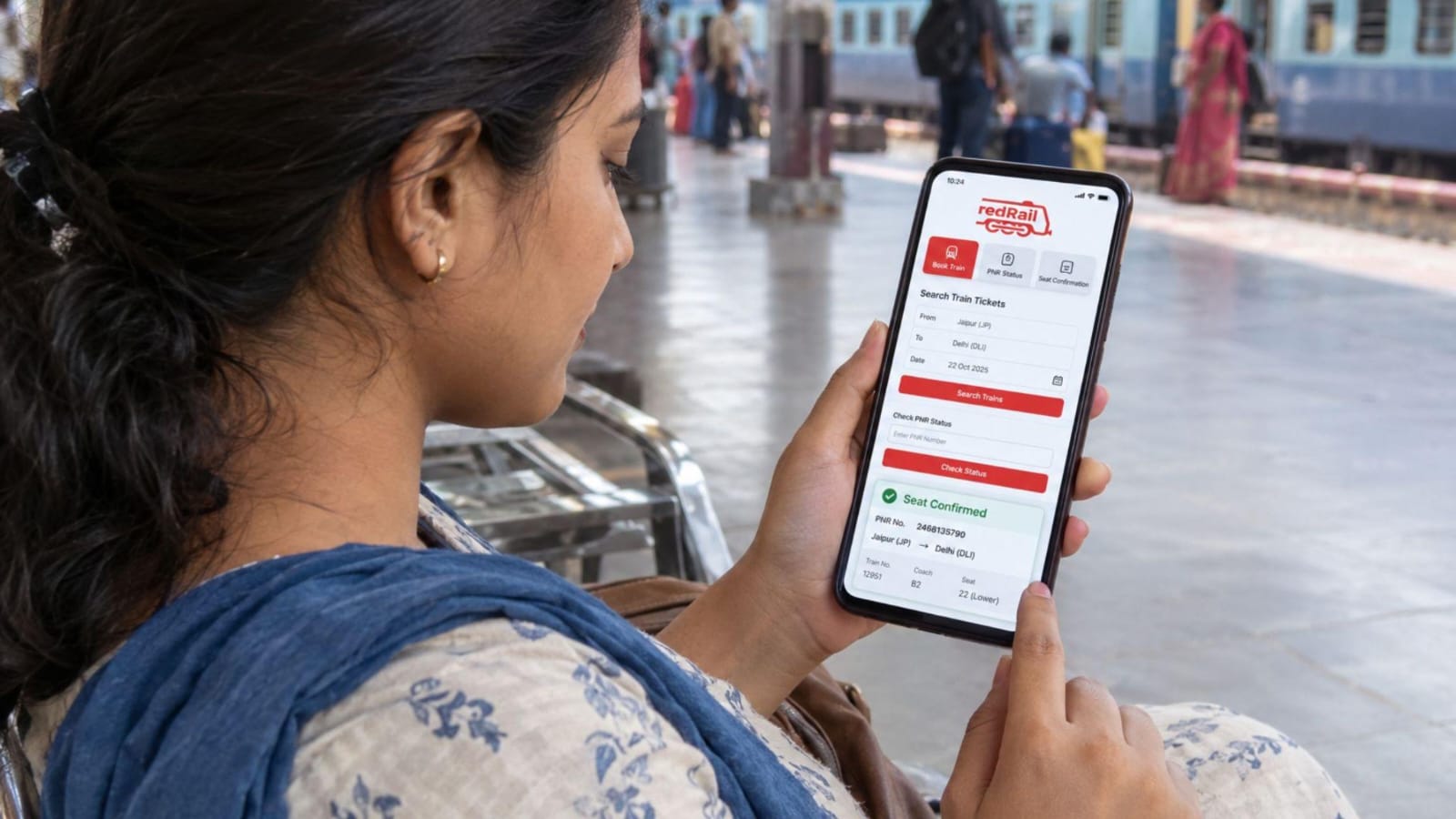

Booking a train ticket may take just a few minutes, but the journey can still change. A train may run late, your waitlisted ticket may get confirmed, or the departure platform may be different from what you expected. That is why passengers want booking apps to remain useful long after payment.
They need clear updates, easy access to their tickets and help when plans change. For travellers in India, these details can make the difference between rushing and travelling calmly.
Real-Time Train Status Updates
When a train runs late, the timetable is not enough. Passengers want to know where it is and when it may reach their station. Live train tracking tools show running information, including arrival times and delays, helping travellers plan when to leave.
- See whether the train is running on time.
- Check its progress along the entire route.
- Use updated arrival estimates before booking a cab or leaving for the station.
These checks help with early morning and night journeys.
Easy PNR Status Tracking
A ticket can move from the waiting list to RAC or confirmed before departure. Passengers prefer finding their latest PNR status in one place. Online railway platforms allow them to enter the number printed on their ticket to see the current booking status.
- Check whether a waitlisted ticket has moved forward.
- See if RAC has changed to confirmed.
- Review the status again after chart preparation.
For passengers whose tickets remain waitlisted, redRail Confirm provides another way forward by showing confirmed seat availability on alternative trains or routes through nearby stations. A quick check helps passengers decide whether to prepare for travel or arrange another option.
Timely Alerts About Delays and Cancellations
Nobody wants to learn about a major delay after reaching the station. Passengers expect apps to flag changes through timely alerts. If a train is delayed or cancelled, early information gives families and working travellers more room to adjust their plans.
- Check for changes before leaving home.
- Share revised timings with anyone meeting you.
- Confirm cancellations through official railway information.
Even when notifications are unavailable, checking the live running status can prevent unnecessary trips to the station.
Updates on Coach and Seat Details
Once your IRCTC train ticket is confirmed, you still need to know where to board. Coach and berth details may become available or change when reservation charts are prepared. A useful booking app should display the latest allocation, especially when families have several tickets.
- Check the coach number before reaching the platform.
- Note the berth or seat assigned to each traveller.
- Recheck the details after chart preparation.
This saves time when locating the coach at crowded stations.
Quick Access to Ticket Information
Finding old messages at a station can be frustrating. Your railway ticket should be easy to open while carrying luggage or travelling with children. Digital booking platforms allow passengers to access their ticket details online and receive booking information through their registered contact details.
- Keep the ticket and booking reference handy.
- Double-check the journey date and boarding station.
- Save a copy in case your internet connection becomes weak.
Easy access also helps when railway staff ask to verify your journey details.
Notifications About Platform Changes
A sudden platform change can leave passengers hurrying across a station with heavy bags. People want updated platform details, not just the platform first shown in their journey information. Train tracking platforms can display available platform information through their live running status features.
- Check the platform again shortly before departure.
- Watch station display boards for revised information.
- Follow railway announcements if details change unexpectedly.
App information is useful, but the station’s latest announcements should guide where you wait to board.
Easy Ticket Cancellation and Refund Tracking
A family event or unexpected appointment may mean a ticket is no longer needed. Passengers want to cancel without confusion and check what happens to their money. Online booking platforms may provide cancellation options through the booking section and allow passengers to track refunds through their app or website.
With redRail’s paid Free Cancellation add-on, eligible bookings can be cancelled within the permitted period without standard IRCTC cancellation charges. Travellers can also review cancellation and refund details through the platform. Other applicable fees remain non-refundable.
- Read the applicable cancellation conditions carefully first.
- Check the refund amount shown for your booking.
- Follow the refund status until it is completed.
The final refund depends on railway rules and booking conditions.
Reliable Support During the Journey
Train tracking cannot solve every problem. A passenger might struggle to find booking details, question a refund or need help understanding a cancellation. After booking, people expect clear help options and practical answers rather than being sent between unrelated pages.
- Keep your ticket reference ready when requesting help.
- Explain the issue and share the journey details.
- Use official support channels for payment or booking concerns.
Good support matters most when there is little time left before departure.
Conclusion
A train booking app should stay useful after the payment goes through. Passengers need to check their ticket position, follow delays, find their coach and manage cancellations without unnecessary effort. Clear information is especially valuable when stations are crowded, or travel plans change suddenly. With services such as live train tracking, booking access and refund updates, redRail helps travellers handle important tasks in one place. Before every journey, checking the latest details can make the experience organised and less stressful.
About the Author